
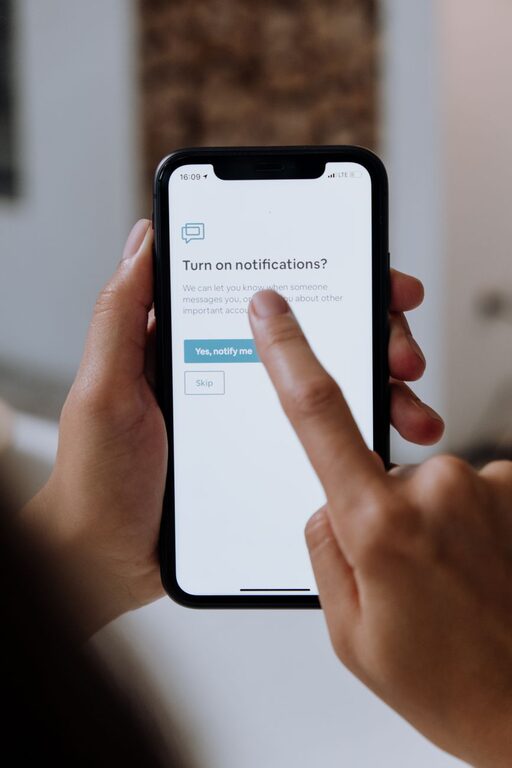
Tips for Setting Boundaries with Notifications to Boost Focus
In today’s connected world, notifications are a double-edged sword. While they keep us informed and connected, they can also interrupt our concentration and increase stress levels. Setting boundaries with notifications is essential for maintaining focus, balancing work and personal life, and fostering a healthier relationship with technology. This post offers helpful tips on how to manage your notifications thoughtfully.
Why Setting Boundaries with Notifications Matters
Notifications, whether from your phone, computer, or other devices, are designed to grab your attention. Constant interruptions can break your workflow, making tasks take longer and decreasing overall productivity. Over time, this can also lead to burnout.
By setting clear limits on when and how you receive notifications, you create space for focused work and meaningful downtime. This helps reduce stress and improves your ability to engage deeply with tasks and people.
Assess Your Current Notification Habits
Before making changes, it helps to understand your current patterns.
– Track your notifications: For a day or two, notice how often your devices notify you and what types of alerts you get.
– Identify the most disruptive alerts: Which notifications interrupt your flow the most? Which ones are less important?
– Reflect on your reactions: How do you feel when notifications come in? Do you immediately check your device, or are you able to ignore them?
This assessment gives you a clearer picture of what you want to change.
Practical Tips for Setting Notification Boundaries
1. Customize Notification Settings
Most devices and apps allow you to customize notifications. Take advantage of these features:
– Turn off non-essential alerts: Disable notifications for apps that don’t require immediate attention, such as social media or games.
– Use “Do Not Disturb” modes: Schedule focused work times or quiet hours when notifications are silenced.
– Set priority notifications: Allow alerts only from important contacts or apps.
2. Establish Specific Times to Check Notifications
Instead of reacting to every alert instantly, try designating specific times to review your notifications:
– Batch check messages: Look at emails or messages once every hour or during breaks, rather than continuously.
– Avoid notifications during deep work: Allocate uninterrupted blocks of time for focused tasks.
– Set a cutoff time before bed: Turn off or silence notifications at least an hour before sleeping to help wind down.
3. Use Technology to Your Advantage
Several tools and features can help manage notifications effectively:
– Focus modes: Many smartphones and operating systems have “Focus” or “Work” modes that limit alerts during specific activities.
– Notification summaries: Some platforms collect non-urgent notifications and deliver them in batches at scheduled times.
– App-specific features: Explore settings in apps like email and messaging to mute or snooze conversations temporarily.
4. Communicate Your Boundaries
Letting others know about your notification preferences helps manage expectations:
– Inform colleagues and friends: Share your “quiet hours” so they understand when you might not respond immediately.
– Set status messages: Use status indicators in chat apps to signal when you are unavailable or focusing.
5. Create Physical Distance from Devices
Sometimes the best way to reduce notification distractions is to step away:
– Turn off devices or put them in another room during focused work or personal time.
– Use silent or vibration modes to avoid audible disturbances.
– Limit device use at mealtimes or social gatherings to be more present.
Benefits of Setting Notification Boundaries
Implementing these boundaries can lead to several positive outcomes:
– Improved focus and productivity: Fewer interruptions mean better concentration and faster task completion.
– Reduced stress and anxiety: Constant alerts can be overwhelming; controlling them can help you feel calmer.
– Better sleep quality: Less exposure to screens and notifications before bedtime promotes restful sleep.
– Enhanced work-life balance: Clear limits help you separate professional tasks from personal time.
Final Thoughts
Managing notifications is about finding the right balance that suits your lifestyle and goals. Experiment with different strategies to see what works best, and remember that it’s perfectly fine to adjust over time. By setting thoughtful boundaries, you can reclaim control over your attention and enjoy a more focused, less distracted day.